
Are you tired of clunky media players that struggle with your video files? If you’re looking for a reliable, feature-packed option, PotPlayer free download for PC might be just what you need. This powerful media player has been a favorite among users worldwide for its smooth performance and versatility. In this guide, we’ll walk you through everything from features to installation, ensuring you get the latest version in 2026. Whether you’re on Windows 11, 10, 8, or even 7, PotPlayer has you covered with seamless compatibility.
PotPlayer stands out in a crowded market by offering high-quality playback without the bloat. It’s free, lightweight, and supports a vast array of formats, making it ideal for anyone who wants a hassle-free experience.
What is PotPlayer
PotPlayer is a free multimedia player developed by Kakao (formerly Daum) from South Korea. It’s designed primarily for Windows users and excels at playing video and audio files with minimal resource usage. Unlike some basic players, PotPlayer incorporates advanced hardware acceleration to deliver buttery-smooth performance, even on older hardware.
Originally based on KMPlayer, PotPlayer has evolved into its own entity, focusing on user-friendly features and customization. It’s not just a player—it’s a complete media solution that handles everything from local files to streaming content. For global users in 2026, it’s a go-to choice for its ongoing updates and broad compatibility.
Top Features of PotPlayer for PC
What makes PotPlayer shine? Let’s break down its standout features that keep users coming back.
- Hardware Acceleration: Utilizes DXVA, CUDA, and QuickSync for maximum performance with low CPU usage. This means smoother playback for high-res videos like 4K or 8K.
- 3D and 360-Degree Support: Enjoy immersive viewing with support for various 3D glasses and output formats. It’s perfect for VR content or 3D movies on your PC.
- Subtitle Versatility: Handles SMI, SRT, Vobsub, ASS/SSA, and even Blu-ray subtitles with animation and Ruby tags. You can sync, customize, or download subs directly.
- Built-in Codecs and OpenCodec: No need for extra downloads—PotPlayer plays most formats out of the box. Add more codecs easily if needed.
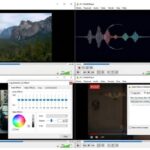
- Customization Options: Skins, visualizations for audio, and exportable settings make it highly personalizable. Drag-and-drop playlists add convenience.
- Additional Tools: Built-in screen recorder, video editor for basic tweaks like sharpening or noise reduction, and support for TV/HDTV devices.
Other perks include scene previews with snapshots, bookmarks for favorite moments, and multi-sound card selection. It’s a powerhouse for both casual viewers and enthusiasts.
PotPlayer Free Download for PC Latest Version 2026
Ready to grab the latest version? The official source is the Daum PotPlayer website, ensuring you get a safe, ad-free download. As of 2026, the newest release includes enhancements like NVIDIA RTX Video HDR support for AI-upscaling SDR to HDR10, improved playlist handling, and bug fixes for various formats.
Head to the official site for the PotPlayer free download for PC. You’ll find options for both 32-bit and 64-bit versions, tailored to your system. Avoid third-party sites to minimize risks—stick to trusted sources for the daum potplayer download.
How to Download PotPlayer for Windows 11 10 8 7
Downloading is straightforward and quick. Follow these steps for a smooth experience:
- Visit the official PotPlayer website at potplayer.tv.
- Scroll to the download section.
- Choose between 32-bit or 64-bit based on your Windows version (more on this below).
- Click the link: For 64-bit, it’s typically PotPlayerSetup64.exe; for 32-bit, PotPlayerSetup.exe.
- Save the file to your downloads folder.
This process works seamlessly on Windows 11, 10, 8, and 7. If you’re on Windows 10 64-bit, go for the 64-bit version for optimal performance. The file size is around 50-100MB, so it downloads fast even on slower connections.
For potplayer download for windows 10 or 11, the site automatically provides the latest compatible build. Always check for updates directly from the developer to stay current in 2026.
32 Bit vs 64 Bit Version Comparison
Choosing between 32-bit and 64-bit PotPlayer? It depends on your PC’s architecture.
- 32-Bit Version: Ideal for older systems or those with limited RAM. It’s compatible with all Windows versions but may not handle resource-intensive tasks as efficiently. Download potplayer 32 bit if you’re on Windows 7 32-bit or have compatibility issues.
- 64-Bit Version: Recommended for modern PCs with 64-bit OS. It leverages more memory for better performance, especially with large files or 4K playback. Potplayer 64 bit windows 11 or 10 users will see smoother operation and faster loading.
In short, if your system is 64-bit (most are post-2010), opt for the 64-bit download. You can check your system type in Windows Settings > System > About. The 64-bit version often provides a slight edge in speed and stability.
System Requirements
PotPlayer is lightweight, so it runs on a wide range of hardware. Minimum specs include:
- OS: Windows 7, 8, 8.1, 10, or 11 (both 32-bit and 64-bit).
- Processor: Intel Pentium 4 or equivalent.
- RAM: 1GB (2GB recommended for HD/4K playback).
- Storage: 40MB free space for installation.
- Graphics: DirectX 9 compatible card for hardware acceleration.
For optimal performance on Windows 11, ensure your GPU supports CUDA or QuickSync. Older systems like Windows 7 might need updates for full feature access, but it still works reliably.
How to Install PotPlayer Step by Step
Installation is a breeze—here’s how:
- Download the setup file from the official site.
- Double-click the .exe file (PotPlayerSetup.exe or PotPlayerSetup64.exe).
- Select your language and click OK.
- Follow the wizard: Agree to terms, choose install location (default is fine), and select components (like associations for file types).
- Click Install and wait a few seconds.
- Launch PotPlayer and tweak settings if needed.
During install potplayer, you can opt for no additional software—it’s clean. If issues arise, run as administrator or check antivirus settings. Post-install, update via the app for the latest fixes.
PotPlayer Portable Version
Don’t want to install? PotPlayer portable is your answer. This version runs from a USB drive without leaving traces on your PC.
Download from trusted sources like PortableApps.com. It’s based on the same core but executable directly—great for travel or testing.
Features remain intact, including hardware accel and subtitles. System requirements are similar, and it’s free. For potplayer portable, extract the zip and run the .exe. Update manually by downloading new versions.
PotPlayer vs Other Media Players
How does PotPlayer stack up? Here’s a quick comparison:
- VLC Media Player: VLC is open-source and versatile, playing almost anything. However, PotPlayer offers better hardware acceleration and a more customizable interface, making it faster for high-res content.
- KMPlayer: Similar roots, but PotPlayer is often seen as the successor with fewer ads and better updates. KMPlayer has strong codec support, yet PotPlayer edges out in performance.
- GOM Player: User-friendly with VR features, but PotPlayer provides more editing tools and smoother playback. GOM’s codec finder is handy, though PotPlayer’s built-ins cover most needs.
- Windows Media Player: Basic and built-in, but lacks format support and customization. PotPlayer is a superior upgrade for advanced users.
Overall, PotPlayer wins for its balance of features, speed, and free access. If you need something lightweight yet powerful, it’s hard to beat.
In conclusion, if you’re after a PotPlayer free download for PC, this guide has you set for 2026. With its robust features, easy setup, and global compatibility, it’s a smart choice for any Windows user. Download today and elevate your media experience.
FAQ
Is PotPlayer safe in 2026?
Yes, PotPlayer is safe when downloaded from the official site. Recent scans confirm it’s virus-free, with no malware or spyware. Always avoid unofficial sources to ensure security.
Is PotPlayer compatible with Windows 11?
Absolutely, PotPlayer works flawlessly on Windows 11. It supports hardware features like RTX HDR upscaling for enhanced playback.
How to download 64 bit version?
Visit potplayer.tv and select the 64-bit download link. It’s labeled clearly and optimized for 64-bit systems like Windows 10 or 11.
Is PotPlayer free?
PotPlayer is completely free, with no hidden costs or subscriptions. Enjoy all features without paying a dime.
How to install PotPlayer?
Download the setup file, run it, and follow the simple wizard. It takes under a minute and associates common file types automatically.
Does PotPlayer have portable version?
Yes, a portable version is available from sites like PortableApps.com. It runs without installation, perfect for on-the-go use.