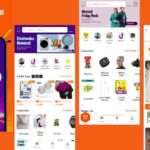
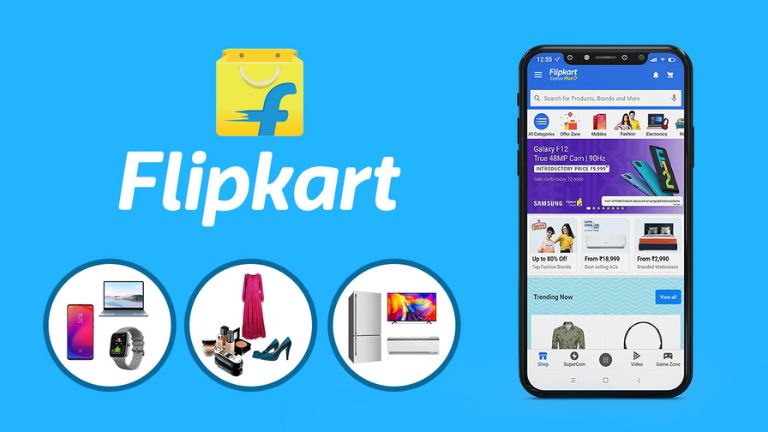
In the fast-paced world of 2026, online shopping has become more seamless than ever, especially with apps that put everything at your fingertips. If you’re looking to dive into a vast marketplace filled with deals on electronics, fashion, groceries, and more, the Flipkart online shopping app download is your gateway. This app isn’t just about buying stuff—it’s designed for discovery, rewards, and quick deliveries that fit modern lifestyles. Whether you’re in India or browsing from abroad, getting started is straightforward, and I’ll walk you through it all in this guide.
What is Flipkart Online Shopping App
Flipkart started as a simple online bookstore back in 2007 but has grown into one of India’s leading e-commerce giants, now owned by Walmart. By 2026, the Flipkart shopping app serves millions, offering a treasure trove of products from mobiles and fashion to home appliances and groceries. It’s built for convenience, with features like personalized recommendations and multilingual support, making it accessible for users worldwide.
What sets it apart? The app integrates everything into one platform, so you can shop, track orders, and even earn rewards without switching between sites. For global users, while the core services are India-focused, the app is downloadable anywhere, and with forwarding services, international shopping is possible.
Key Features of Flipkart Shopping App
The Flipkart app packs a punch with user-friendly tools that enhance your shopping experience. Here’s a breakdown of some standout features:
- Vast Product Selection: Browse categories like electronics, beauty, and home essentials. For example, if you’re hunting for the latest smartphones, you’ll find detailed specs, user reviews, and comparison tools right in the app.
- Discounts and SuperCoins: Every purchase earns SuperCoins, which you can redeem for discounts or exclusive perks. In 2026, expect ongoing sales like Big Billion Days, where deals can slash prices by up to 70%.
- Flipkart Minutes: A game-changer for quick needs—this feature promises delivery in just 10 minutes for select items in major cities, perfect for last-minute groceries or essentials.
- Spoyl for Fashion: Aimed at Gen-Z, this section offers trendy, genderless styles with fresh drops and LIT trends to keep your wardrobe updated.
- Social Sharing and Wishlists: Share products with friends or save items for later. The app also sends timely alerts for deals, ensuring you never miss out.
These features make the app intuitive, with a clean interface that’s easy to navigate on mobile devices.
How to Complete Flipkart Online Shopping App Download
Downloading the Flipkart online shopping app is a breeze, whether you’re on Android or iOS. Start by heading to your device’s app store—Google Play for Android or the App Store for iPhone.
Search for “Flipkart” and look for the official app by Flipkart. Tap “Install” or “Get,” and it should download in minutes, depending on your internet speed. Once installed, open the app, sign up with your email or phone number, and verify via OTP. You can even link your Google account for quicker access.
For a smooth mobile experience, ensure your device runs the latest OS version. In 2026, the app supports offline browsing for wishlists, so you can plan purchases even without data. If you’re new, explore the tutorial pop-ups—they guide you through categories and cart management effortlessly.
Flipkart Online Shopping App Download APK Guide
Sometimes, you might need the APK version, especially if the app store isn’t accessible or for older devices. To download Flipkart app APK safely, visit the official Flipkart website (flipkart.com) and navigate to the mobile apps section. Look for the APK download link—it’s usually under “Download App” for Android users.
Avoid third-party sites to prevent malware; stick to trusted sources. Once downloaded, enable “Install from unknown sources” in your settings, then tap the file to install. This method is handy for users outside India or those facing regional restrictions. Remember, APK updates might not be automatic, so check back periodically for the latest version with 2026 enhancements like improved AI recommendations.
Flipkart Grocery App Download Benefits
While groceries are integrated into the main Flipkart shopping app, downloading it unlocks specific perks for everyday essentials. Flipkart Grocery offers fresh produce, staples, and household items with same-day or 10-minute delivery via Flipkart Minutes in select areas.
Benefits include competitive pricing—often lower than local stores—plus bundle deals that save on bulk buys. For instance, stocking up on rice, oils, and veggies can earn extra SuperCoins. In 2026, with rising global food trends toward sustainable sourcing, Flipkart highlights eco-friendly options, making it ideal for health-conscious shoppers. The app’s search filters let you sort by organic or vegan, enhancing usability.
Flipkart Plus App and Rewards System
Flipkart Plus is the loyalty program baked into the app, rewarding frequent shoppers. By accumulating SuperCoins through purchases, referrals, or games, you unlock free deliveries, early sale access, and exclusive discounts.
In 2026, the system has evolved with personalized rewards—think bonus coins for reviewing products or sharing on social media. It’s like a points card on steroids, turning shopping into a rewarding habit. For example, redeeming coins for a free coffee voucher adds fun to the mix. If you’re a heavy user, upgrading to Plus membership (via coins) amplifies benefits, making it worthwhile for global trend followers who shop cross-categories.
Flipkart Shopping Card Explained
The Flipkart shopping card refers to options like gift cards or the co-branded Axis Bank credit card, enhancing payment flexibility. Gift cards are preloadable and perfect for gifting, while the credit card offers cashback on Flipkart purchases—up to 5% unlimited.
In the app, you can manage these under “Payments.” For international users, linking a compatible card (like those from NIC Asia for Nepal) enables transactions. This system builds trust with secure, encrypted payments and easy refunds, aligning with 2026’s emphasis on seamless fintech integration in e-commerce.
Shopsy by Flipkart vs Flipkart App
Shopsy, launched by Flipkart, is a separate app targeting budget shoppers and resellers, focusing on hyper-value deals with zero commissions. Unlike the main Flipkart app, which is direct B2C with premium features, Shopsy emphasizes social commerce—share links on WhatsApp to earn from sales.
In 2026, Shopsy appeals to rural users with affordable unbranded items, while Flipkart shines in branded variety and quick deliveries. If you’re into reselling, download Shopsy shopping app for its easy sharing tools. For comprehensive shopping, stick with Flipkart. Both are free, so try them—perhaps start with Shopsy APK download if you’re exploring low-cost options. Interested in alternatives? Check out the [Shopsy Shopping App] for more details.
Is Flipkart Safe for International Users
Absolutely, Flipkart prioritizes security with features like OTP logins and encrypted data. For international users in 2026, the app is downloadable globally via app stores, but direct shipping is India-only. Use services like Shoppre or MyXBorder for forwarding to places like the USA or Nepal.
Payments support international cards with enabled transactions, and reviews highlight reliable deliveries. However, be cautious with third-party sellers—check ratings. Overall, it’s trustworthy, backed by Walmart, but for non-Indian addresses, proxy shipping adds a layer of convenience amid global shopping trends.
Pros and Cons
Like any app, Flipkart has its ups and downs.
Pros:
- Wide product range with competitive prices and frequent sales.
- User-friendly interface, fast loading, and multilingual support.
- Rewards like SuperCoins boost loyalty and savings.
- Quick deliveries, especially with Flipkart Minutes.
Cons:
- App can feel sluggish during peak sales.
- Product images sometimes lack high-res clarity on mobiles.
- Limited international shipping without intermediaries.
- Occasional delivery delays in remote areas.
Despite these, the pros outweigh the cons for most users.
Conclusion
As we navigate 2026’s dynamic e-commerce landscape, the Flipkart online shopping app download remains a smart choice for savvy shoppers seeking variety, deals, and convenience. Whether upgrading your tech or stocking groceries, this app delivers value. Download it today and join millions enjoying effortless mobile shopping. For similar experiences, explore the Amazon Shopping App or Daraz App.
FAQs
How to download Flipkart online shopping app?
Search for “Flipkart” in Google Play or App Store, tap install, and sign up with your details. It’s free and quick, with automatic updates for the latest features.
Is Flipkart available outside India?
Yes, the app is downloadable worldwide, but services like shipping are primarily for India. Use international forwarding services for deliveries abroad.
How to download Flipkart app APK?
Visit flipkart.com, find the mobile apps section, and download the APK file. Install after enabling unknown sources—always from official sources for safety.
What is Shopsy by Flipkart?
Shopsy is Flipkart’s budget-focused app for affordable shopping and reselling. It offers zero-commission deals, ideal for social sharing and value-driven buyers.
Is Flipkart safe for online shopping?
Flipkart uses secure encryption, OTP verification, and buyer protection policies. Millions trust it for reliable transactions, though always review sellers for added peace of mind.