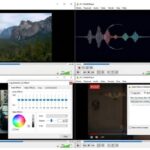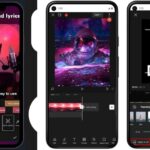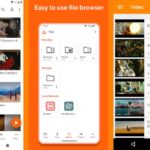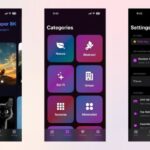
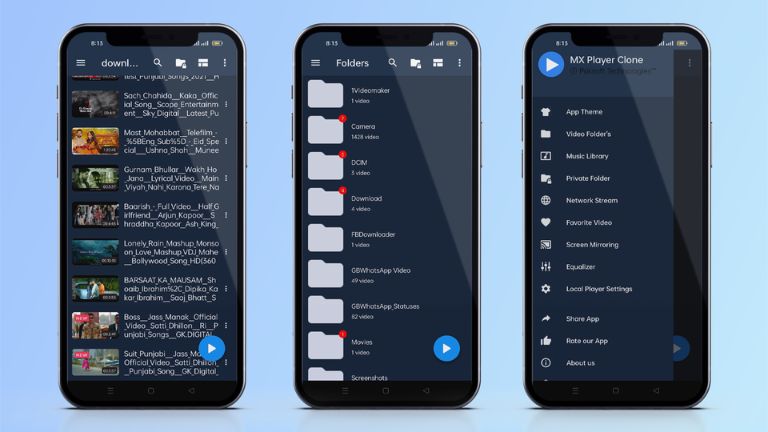
In 2026, the MX Player App continues to be a go-to choice for millions of users seeking a powerful video player combined with seamless streaming options. Whether you’re binge-watching the latest web series or playing local files, this app delivers top-notch performance on Android devices. With its evolution under Amazon, MX Player App now offers even more entertainment value, making it essential for anyone in Bangladesh or beyond.
What is MX Player App and How It Works
MX Player App is essentially a versatile media player that started as a simple video playback tool but has grown into a full-fledged OTT platform. Owned by Amazon, it allows you to stream movies, TV shows, and original content while also handling your local video files effortlessly. The app works by scanning your device’s storage for media or connecting to its vast online library for streaming.
To get started, simply install it from the Google Play Store, grant necessary permissions, and dive in. It supports hardware acceleration for smooth playback, even on older devices, and integrates features like gesture controls for easy navigation. In regions like Bangladesh, where data speeds can vary, its efficient decoding ensures minimal buffering.
Key Features of MX Player App in 2026
The MX Player App in 2026 packs a punch with updates focused on speed and reliability. One standout is the advanced hardware acceleration using the HW+ decoder, which boosts performance by up to 70% on multi-core devices. This means smoother 8K, 4K, and HD video playback without lag.
Gesture controls make interaction intuitive—pinch to zoom, swipe for volume or brightness, and adjust playback speed on the fly. The app also includes a built-in video editor for trimming clips, an MP3 converter for audio extraction, and superior subtitle support for formats like SRT and ASS.
New in 2026 is the enhanced MX Fatafat feature, offering bite-sized micro dramas in vertical format. Perfect for quick watches, it covers genres like revenge and time travel, all free. Plus, the OTT section boasts over 200,000 hours of content, including Bollywood hits, Korean dramas dubbed in Hindi, and regional shows in Tamil or Telugu.
Other perks include night mode for eye comfort, an equalizer with bass booster for music playback, and Picture-in-Picture mode for multitasking. If you’re into sharing, MX Share lets you transfer files locally without internet.
How to Download MX Player App on Android
Downloading the MX Player App on Android is straightforward. Head to the Google Play Store, search for “MX Player,” and hit install. It’s free, with the latest version 2.7.2 released in January 2026, focusing on bug fixes and optimizations.
For those preferring mx player apk download, trusted sites like Uptodown or APKPure offer the file. Just enable “Unknown Sources” in your settings, download the APK, and install. This is handy if you’re facing regional restrictions, though it’s widely available in Bangladesh.
If you want an ad-free experience, opt for mx player pro apk. Download it from official channels to avoid risks. Always verify the file size—around 106 MB for the latest—and scan with antivirus.
MX Player Pro APK Benefits
Upgrading to mx player pro apk removes ads and unlocks premium features. You’ll enjoy uninterrupted viewing, especially during long streaming sessions on the OTT platform. It retains all core functions like multi-core decoding and gesture controls but feels more polished.
In 2026, Pro users get early access to beta features, such as enhanced AI subtitles or improved video cutting tools. It’s ideal for power users who value a clean interface. If you’re downloading mx player for android frequently, the Pro version saves time by skipping interruptions.
MX Player App Safety and Security Tips
Safety is key when using the MX Player App. Stick to official sources like Google Play to avoid malware. For apk downloads, use reputable sites and enable Google Play Protect.
The app itself is secure, with no reported major vulnerabilities in 2026. It requests permissions for storage and camera (for MX Share), but you can manage them. In Bangladesh, where cyber threats can be common, always update to the latest version for security patches.
Avoid modded versions like maxplayer apk, as they might contain risks. If streaming, use a VPN for added privacy, especially on public Wi-Fi.
Pros and Cons of MX Player App
Like any app, MX Player has its strengths and weaknesses.
Pros:
- Free access to vast OTT content and powerful playback features.
- Supports a wide range of formats without needing extra codecs.
- User-friendly gestures and customizations enhance the experience.
- Available globally, including seamless use in Bangladesh.
Cons:
- Ads in the free version can be intrusive during playback.
- Some advanced features are locked behind the Pro upgrade.
- OTT library might not match dedicated services like Netflix.
Overall, the pros outweigh the cons for casual users.
If you want more streaming apps, check out our guide on Netflix App or Prime Video App. For video downloads, explore Vidmate APK.
FAQs
Is the MX Player app free?
Yes, the basic MX Player App is completely free to download and use, with access to its video player and OTT content. However, it includes ads, which can be removed by upgrading to the Pro version.
Is MX Player available in Bangladesh?
Absolutely, MX Player App is available in Bangladesh via the Google Play Store and other platforms. It supports regional content in languages like Hindi, making it popular among local users.
Is MX Player TV safe to download?
MX Player TV, the version for smart TVs, is safe if downloaded from official sources like Google Play or the manufacturer’s app store. Avoid third-party sites to prevent potential security issues.
How to download using MX Player?
To download content using MX Player App, browse the OTT section, select a movie or series, and look for the download icon. Offline viewing is supported for eligible titles, perfect for low-data scenarios.
What are the new features in MX Player App 2026?
In 2026, updates include smoother performance, bug fixes, and enhancements to MX Fatafat for short dramas. The app also improved its video editor and equalizer for better customization.
Is MX Player compatible with the latest Android versions?
Yes, MX Player App works on Android 7.0 and above, including Android 15 in 2026. It receives regular updates to ensure compatibility.
Conclusion
The MX Player App remains a powerhouse in 2026, blending robust video playback with expansive OTT streaming. From its gesture controls to the latest micro dramas, it offers endless entertainment without breaking the bank. Download MX Player App now and enjoy seamless streaming—whether you’re in Dhaka or anywhere else. If you found this helpful, share it with friends or drop a comment below on your favorite feature!